
AUCTION.COM Android App
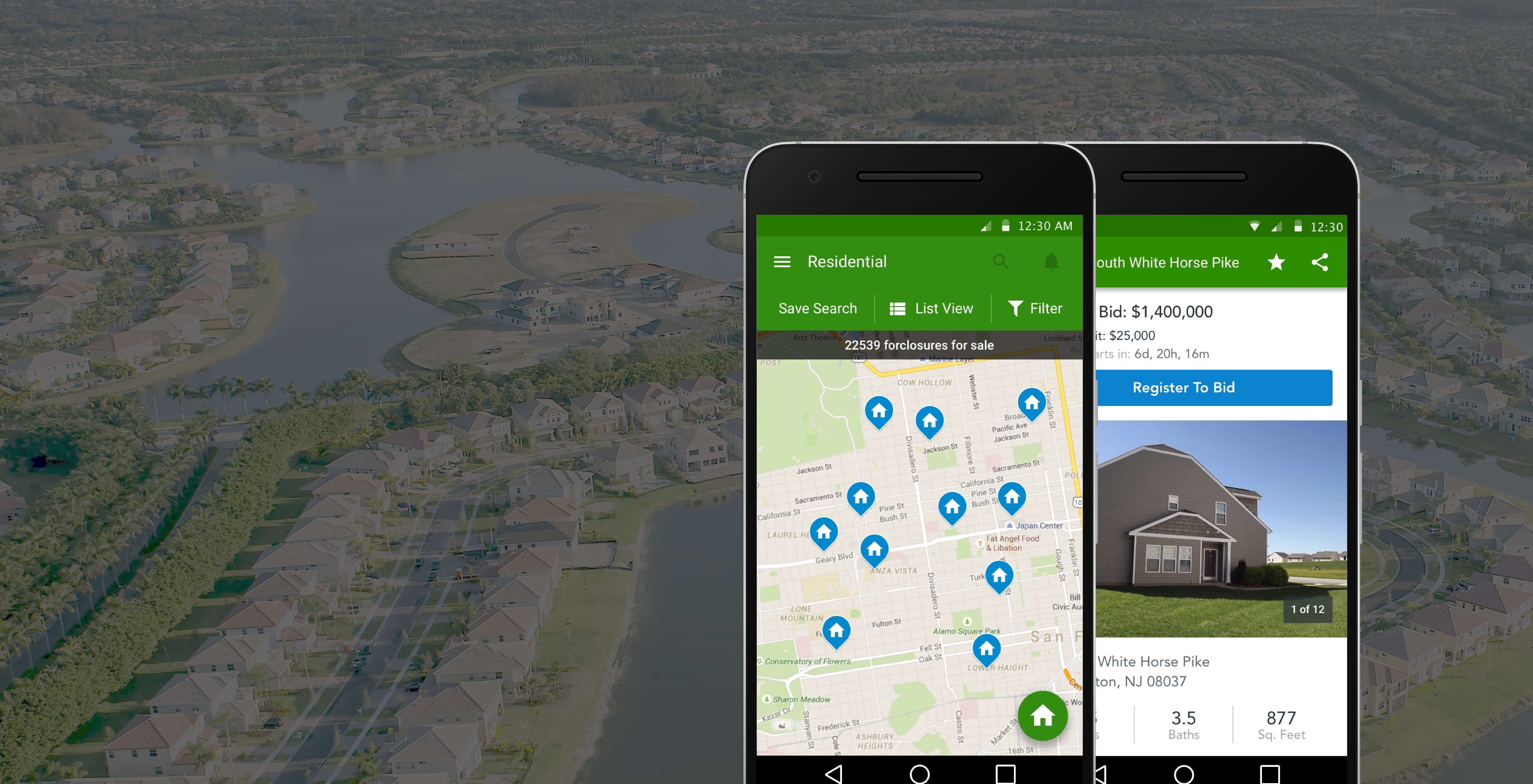
Designed Auction.com’s Android app to support property search, auction monitoring, and bidding — building toward iOS parity while adapting core flows to Android interaction patterns.
Outcome
This project helped establish mobile parity across Auction.com's native app experience.
Context
Auction.com needed an Android experience that could support property search, saved properties, auction monitoring, and bidding for users who were increasingly mobile-first. The challenge was to create parity with the iOS experience while respecting Android interaction patterns and the needs of real estate auction users.
- Who used the app: Real estate investors and bidders searching Auction.com for residential foreclosure and bank-owned properties.
- Key tasks: Search and filter listings, save properties, monitor auction status, review property details, place bids, and act on outbid notifications.
- Why mobile mattered: Auctions run on tight timelines. Users needed to check bidding status and respond away from a desktop — especially when tracking multiple properties or reacting quickly to outbid alerts.
My Role & Scope
As mobile designer for web and Android, I designed core flows for Auction.com's Android app — using platform guidelines as a starting point while aligning with the iOS designer on shared product patterns.
- Partnered with the iOS designer, product management, and engineering to launch Android in step with iOS.
Platform Design Decisions
The goal was a native Android product — not a direct port of iOS. Each decision balanced platform familiarity, cross-surface consistency where users needed it, and the tasks investors rely on during live auctions.
Android conventions where they helped
Navigation, touch targets, and interaction patterns followed Android guidelines.
Consistency where it mattered
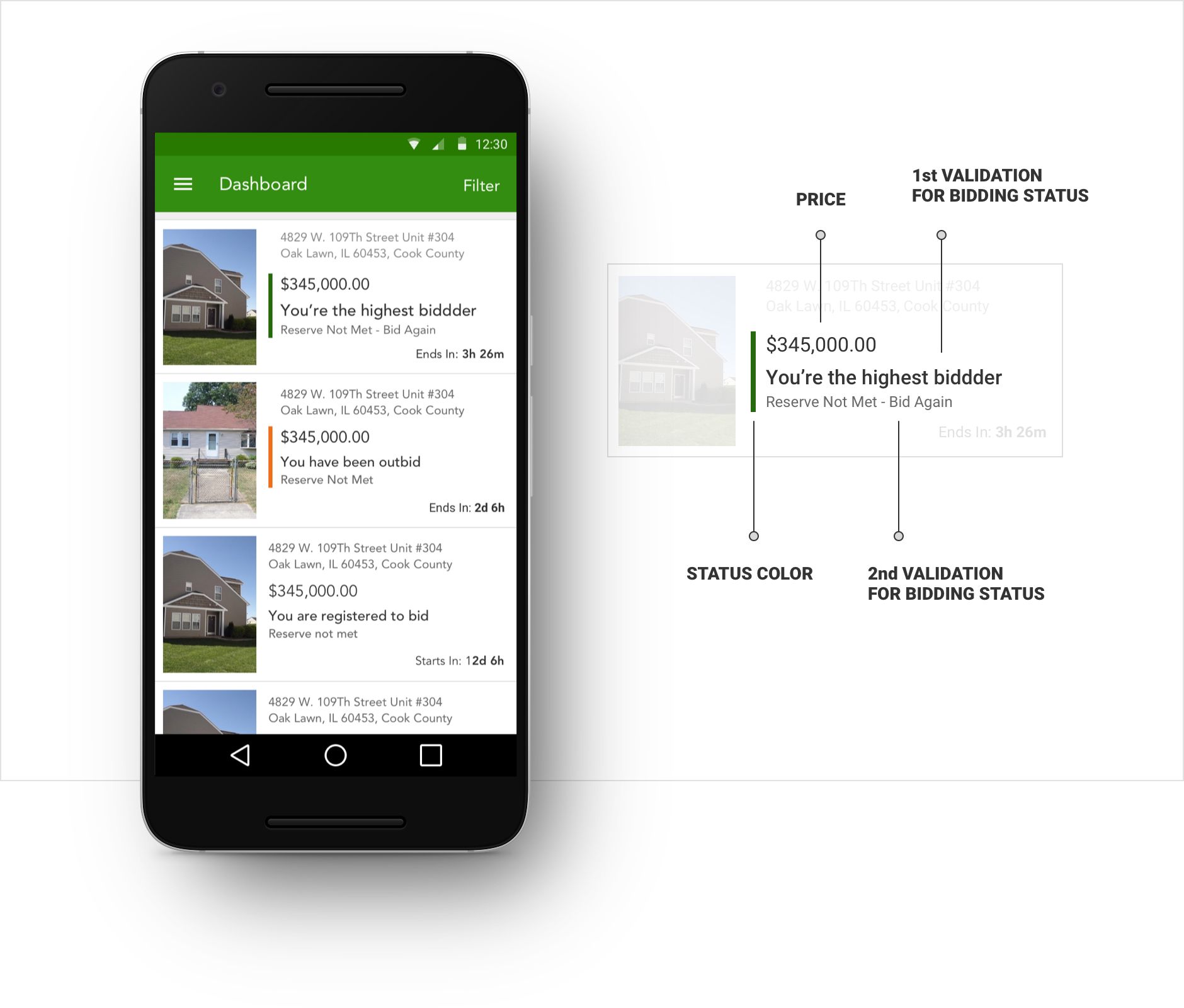
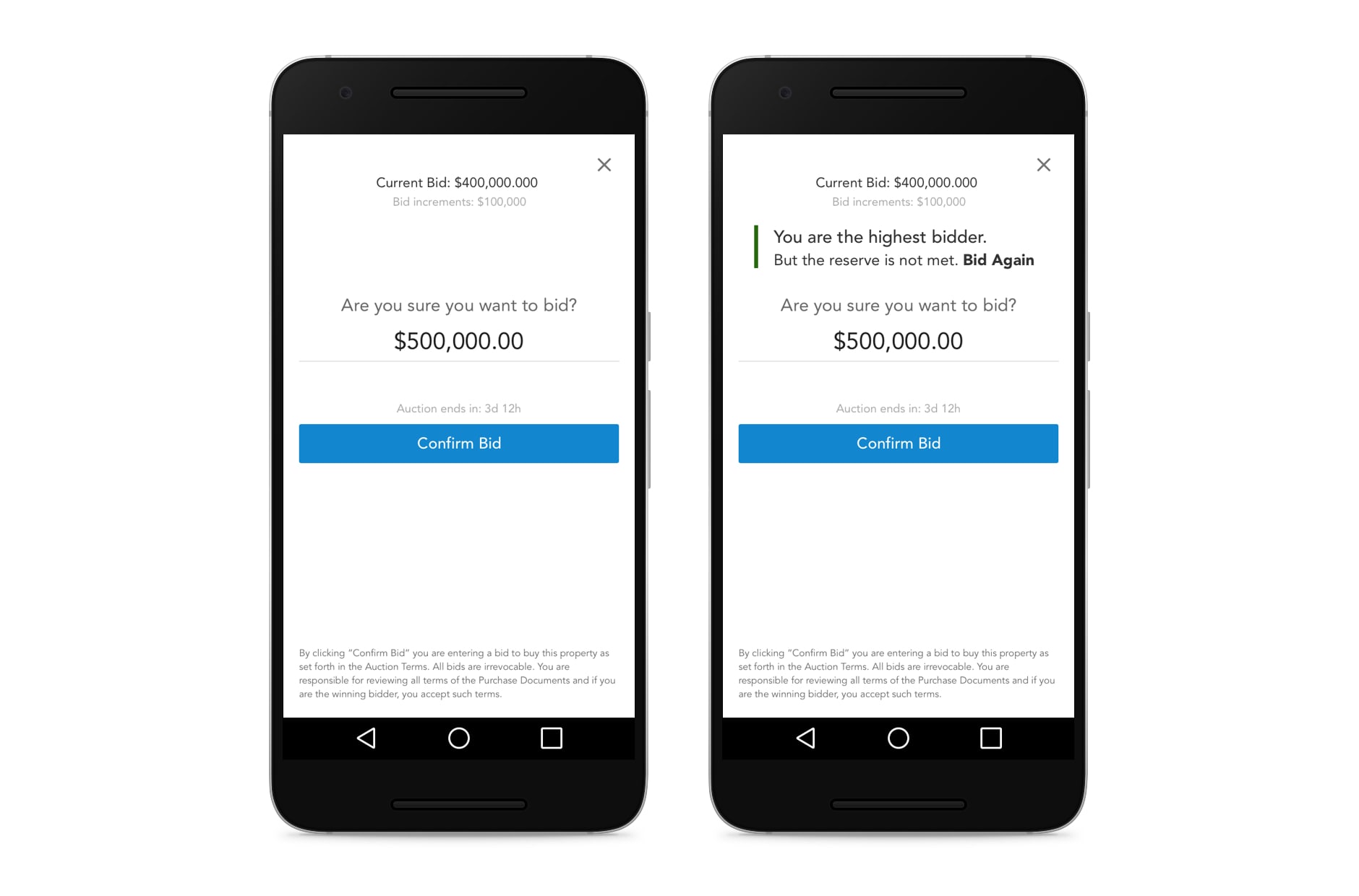
Shared terminology, bidding status language, and core workflows aligned with iOS and mobile web, while layouts adapted to each platform.
Auction-critical hierarchy
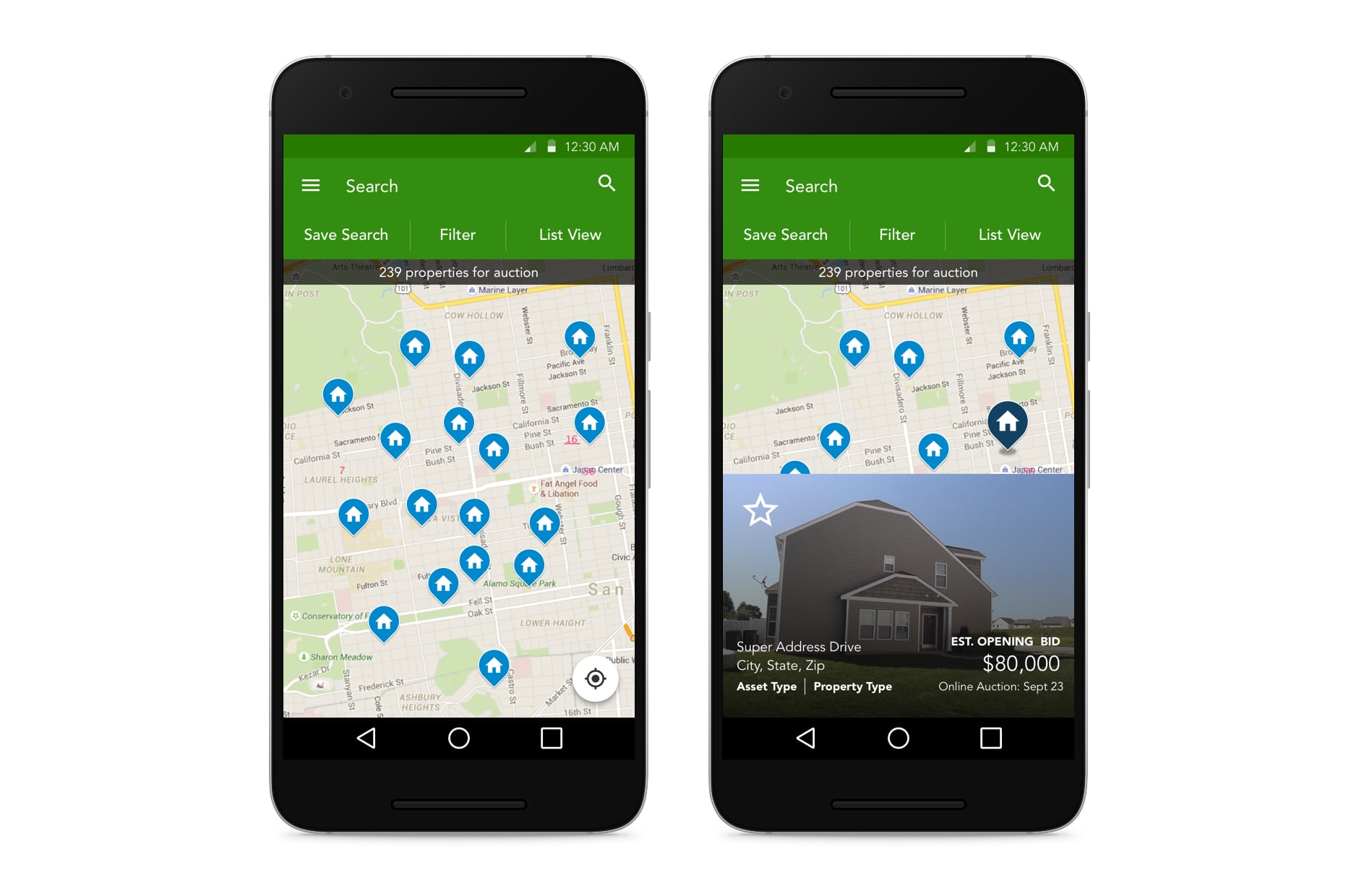
Property search, bidding status, price, and auction timing led the visual hierarchy so users could scan active deals and decide what needed attention first.
Urgency in notifications and outbid states
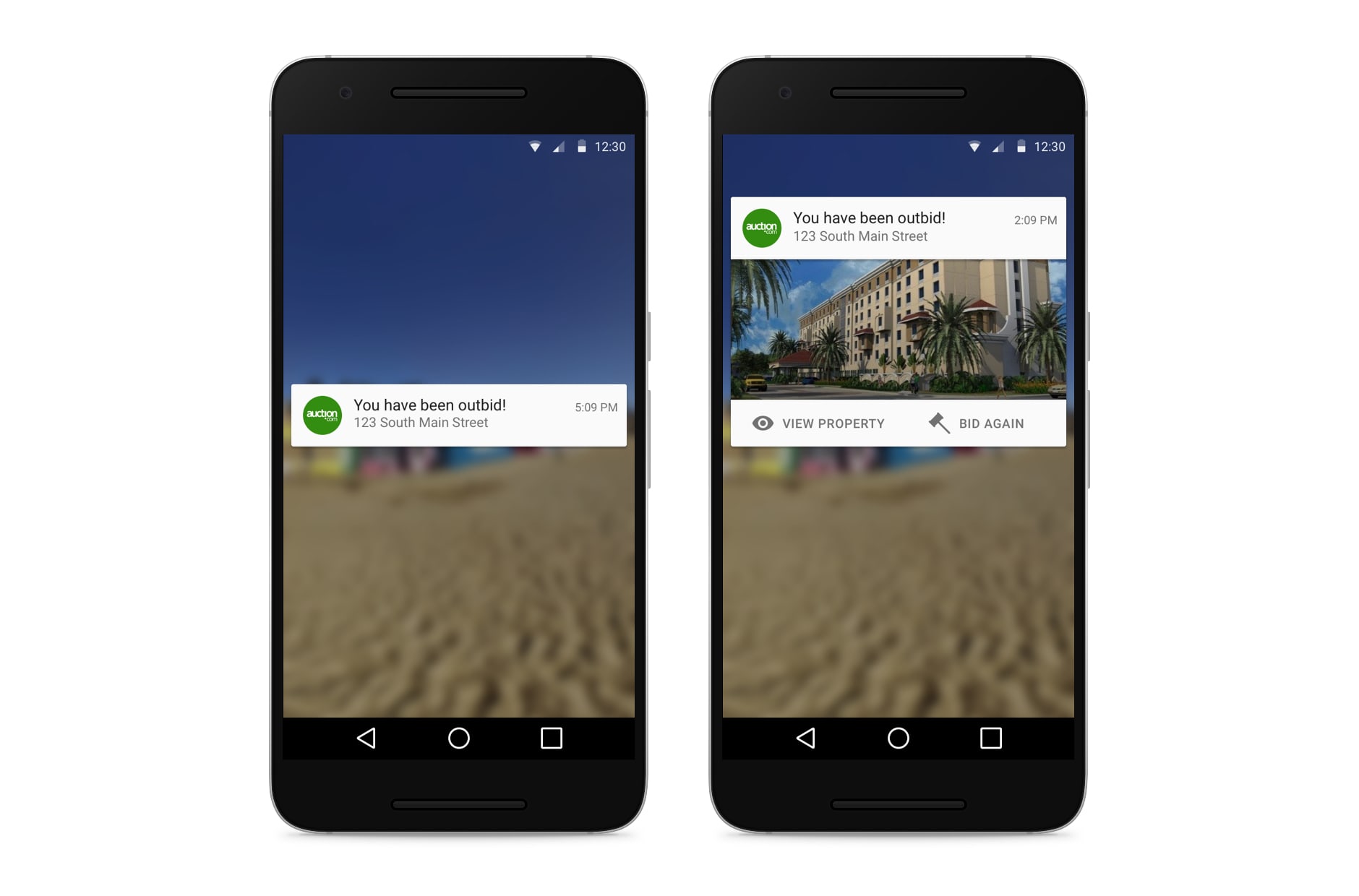
Outbid alerts and status updates were designed around clear next actions — helping users respond quickly when an auction window was closing or they had been outbid.
Key Screens
Property Search
Auction Dashboard
Placing a Bid
Notifications
Credits
- iOS design partner, product management, and Android engineering team.